API Keys and Service Keys
Create API keys for Paladin agents and service keys for inference providers.
API keys are created from the API Keys page in your Paladin dashboard.
API Keys#
API keys can trigger a voice agent from an external system, such as n8n, Zapier, or your own backend workflows. Go to /api-keys in your dashboard and create a new key.
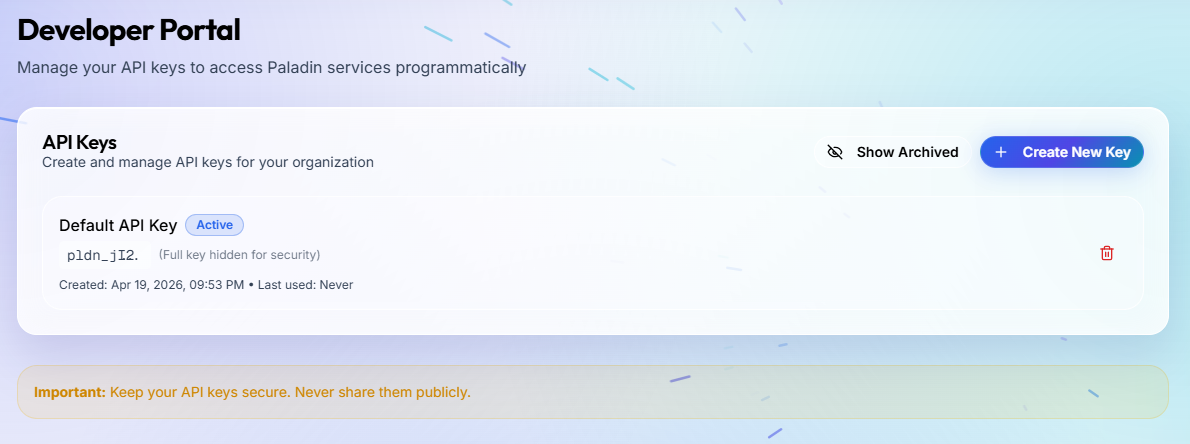
Copy the key when it is created and store it securely. This is the only time the full key is shown. If you lose it, delete the old key and create a new one.
Service Keys#
Service keys are used with Model Configurations. Go to /api-keys in your dashboard and create a new service key.
How to use keys safely#
- Create separate keys for development, staging, and production so each environment can be rotated independently.
- Use one key per service or integration instead of sharing a single key across all automations.
- Store keys in environment variables or a secrets manager. Do not place keys in frontend code, screenshots, tickets, or repository files.
- Rotate keys when team access changes or if a key may have been exposed.
When to use a service key#
Use a service key for backend jobs, campaign automation, scheduled tasks, server-side SDK usage, or trusted systems that need programmatic Paladin access without a browser session.