Voice Agent Builder
Paladin provides UI components to build a voice Agent. The voice agent can be created by going to https://app.paladin.northmanngrp.com/voice-agent/introduction and then Creating a new Agent.
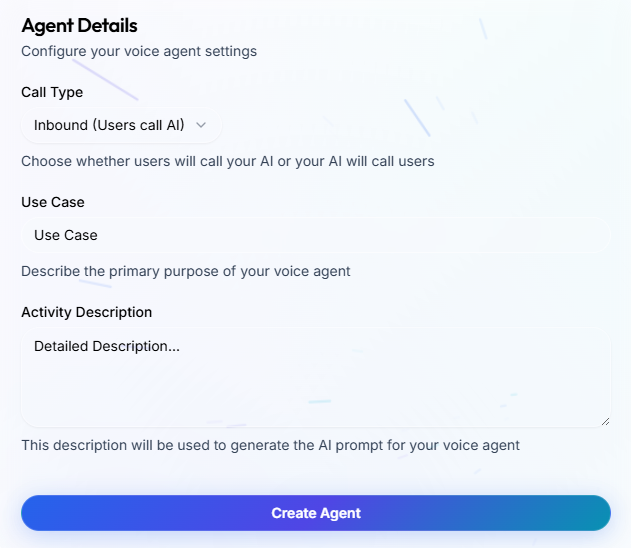
We provide an Agent which quickly helps you get started by creating a voice agent with default prompts and pathways. You can provide inputs like whether you need an "Inbound" or "Outbound" voice agent. You can also provide your use case, and description of what the voice agent should be doing. Your inputs will be sent to an LLM to generate the voice agent, so the better you can describe your use case, the better the starting agent will be created for you.
Once you create your Voice Agent using our Agent builder, you would be taken to the Agent, where you would have an option to test the agent using "Web Call" or "Phone Call". You can also modify the prompts of the Agent to suit it to your use case better.
Recommended build path#
- Create an initial agent from a clear use case description or start from a template.
- Review the generated workflow before testing. Pay attention to the Start Call node, Agent nodes, pathways, and End Call behavior.
- Test with web calls first, then phone calls if the agent will use telephony.
- Review transcripts and update prompts, variables, and tools until the workflow is stable.
What to configure next#
- Model, transcriber, and voice settings for conversation quality.
- Tools and webhooks for external actions.
- Telephony configuration for inbound or outbound phone calls.
- QA criteria and tracing when you need operational review after calls.