Knowledge Base
Upload documents that your voice agent can reference during live conversations to provide accurate, context-aware responses.
The Knowledge Base lets you upload documents that your voice agents can reference during conversations. Instead of encoding all information into prompts, you can provide source documents and let the agent retrieve relevant content on the fly.
How It Works#
- You upload a document (PDF, DOCX, TXT, or JSON) to the Knowledge Base
- You choose a retrieval mode — Full Document or Chunked Search
- Paladin processes the document based on the selected mode
- You attach the document to one or more workflow nodes
- During a call, the agent retrieves information from the document and uses it to generate accurate responses
Supported File Types#
| Format | Extension |
|---|---|
.pdf | |
| Word | .docx, .doc |
| Text | .txt |
| JSON | .json |
Maximum file size: 5 MB
Uploading Documents#
- Go to Knowledge Base Files in the dashboard
- Click Upload New or drag and drop a file
- Choose a retrieval mode (see below)
- Click Upload & Process — the document will be processed according to the selected mode
Retrieval Modes#
When uploading a document, you choose how the agent retrieves information from it:
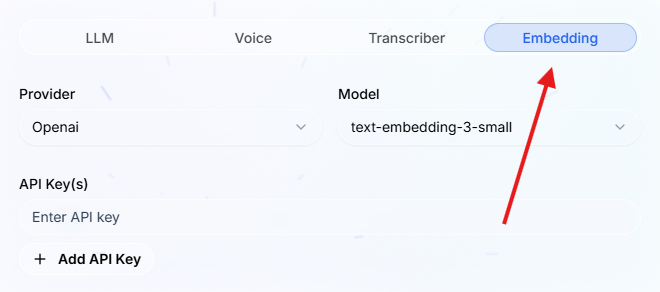
Full DocumentThe entire document text is provided to the agent whenever it queries the knowledge base. No chunking or embedding is performed. Best for: menus, price lists, FAQs, short reference sheets, and any document where the agent needs access to all the information at once. :::tip Full Document mode does not require an embedding API key. :::Chunked SearchThe document is split into smaller chunks and indexed with vector embeddings. When the agent queries the knowledge base, only the most relevant chunks are returned. Best for: large documents like policies, manuals, or contracts where only a portion is relevant to any given question.
Attaching Documents to Nodes#
Once a document is processed, you can attach it to any Start Call or Agent node in your workflow:
- Open the node edit dialog
- Scroll to the Knowledge Base Documents section
- Select one or more documents for the agent to reference
The agent will only search documents attached to the current node, so attach only the documents relevant to that conversation step.
Best Practices#
- Use Full Document for small reference files — menus, price lists, and FAQs work best when the agent sees the entire document
- Use Chunked Search for large documents — policies, manuals, and contracts are too large to fit in context, so chunked retrieval finds the relevant sections
- Keep documents focused — a single topic per document produces better retrieval results than a large multi-topic file
- Use clear, structured content — headings, lists, and short paragraphs help the chunking process
- Attach selectively — only attach documents relevant to a specific node rather than attaching everything everywhere
- Keep documents up to date — re-upload when source information changes to avoid stale answers