Voice
Voice Agents use TTS (Text to Speech), which generates audio that LLMs generate during the course of a conversation. This is the audio that the end user having the conversation listens to.
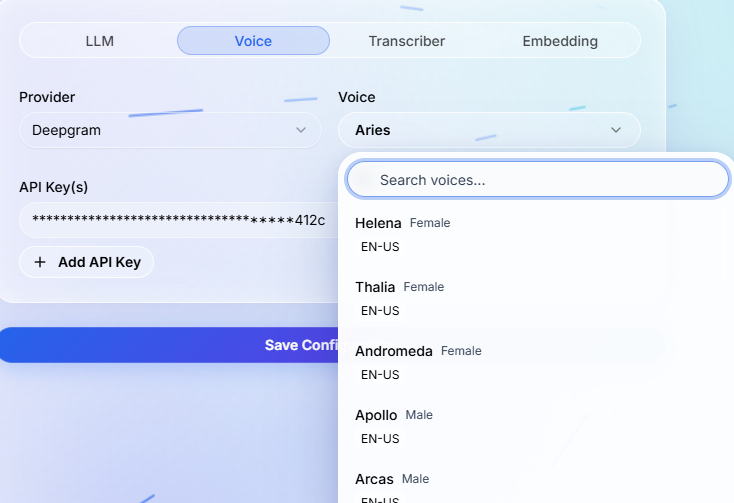
Paladin platform ships with Elevenlabs, Deepgram, OpenAI and Paladin TTS engines by default. There are some voices from the providers that we ship by default. You can refer to the providers API documentation to select a voice ID thats most relevant for your language requirement.
If you dont find your favourite voice, you can always add the voice ID manually.
What this controls#
The voice configuration controls how generated responses are spoken to the caller or website visitor. It affects perceived quality, trust, pace, and clarity.
Selection checklist#
- Choose a voice that matches the use case: support, sales, scheduling, reminders, qualification, or information delivery.
- Test pronunciation for brand names, product names, addresses, amounts, and words that appear often in your workflow.
- Keep the greeting and closing concise so callers can respond naturally without waiting through long audio.
- Use any cloned or branded voice only when you have the required rights and consent to use it.
Testing guidance#
Run web-call tests before phone-call tests. If the web call sounds correct but the phone call does not, inspect the telephony provider, call audio format, and phone network path separately from the voice setting.